2. Controlling LED with GPIO
This guide explains how to control an LED using the General Purpose Input/Output (GPIO) pins on a Raspberry Pi. We'll use a C++ program that directly interfaces with the Linux GPIO character device interface.
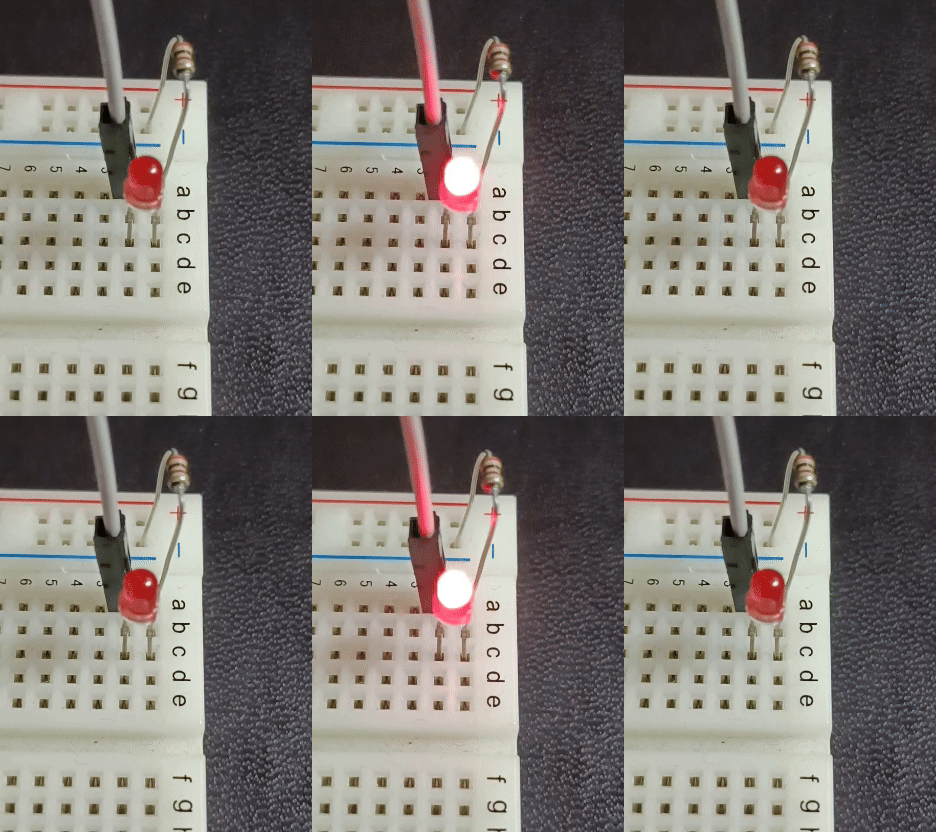
Required Hardware
- Raspberry Pi (any model)
- LED (1)
- Resistor (220Ω to 330Ω)
- Breadboard
- Jumper wires
Hardware Setup
This guide uses GPIO pin 24 for the LED connection. Connect the components as follows:
- Connect the longer leg (anode) of the LED to GPIO 24
- Connect the shorter leg (cathode) of the LED through a resistor to GND (ground)
Code Explanation
This program uses the Linux Character Device API to control GPIO pins. This method is efficient as it operates in kernel space.
Understanding the Code
-
Header Files:
fcntl.h,linux/gpio.h,sys/ioctl.hare required for accessing Linux GPIO devices- Standard C++ library headers are also included
-
Constants:
kGpioChipDevice: Path to the GPIO chip device (usually "/dev/gpiochip0")kGpioPin: GPIO pin number connected to the LED (24 in this example)kBlinkIntervalMs: Blinking interval in millisecondskNumBlinks: Number of times to blink
-
Opening the GPIO Chip:
- The
open()function is used to open the GPIO device file
- The
-
Configuring the GPIO Pin:
- A
gpiohandle_requeststructure is configured, setting the pin to output mode
- A
-
Getting a Handle:
ioctl()is used to get a GPIO line handle
-
Blinking the LED:
- Inside a loop,
ioctl()is used to toggle the GPIO pin value between 1 (on) and 0 (off) std::this_thread::sleep_for()controls the blinking interval
- Inside a loop,
-
Releasing Resources:
- All file descriptors are closed at the end
Compilation and Execution
-
Save the code as
gpio_led.cpp -
Compile with GCC/G++:
-
Run with administrator privileges:
Troubleshooting
-
"Failed to open GPIO chip device" Error:
- Ensure you're running the program with sudo privileges
- Verify that the GPIO device file (/dev/gpiochip0) exists
-
"Failed to get GPIO line handle" Error:
- Check that the pin number is correct
- Make sure no other process is using the same pin
-
LED Doesn't Light Up:
- Check your wiring
- Verify the LED orientation is correct
- Ensure the resistor value is appropriate